See it working
The office and the van, on the same page
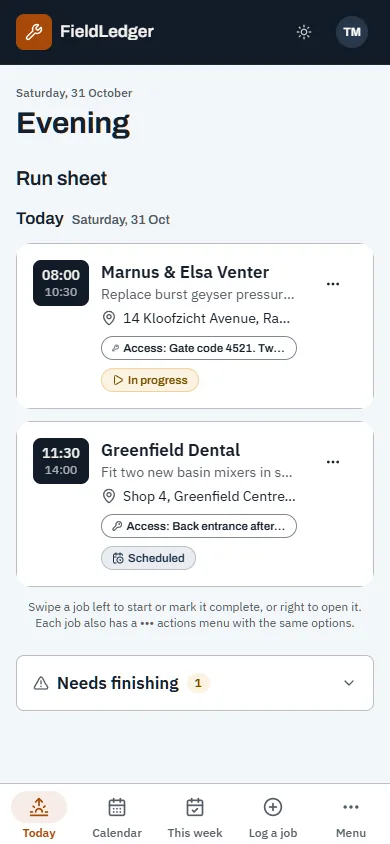
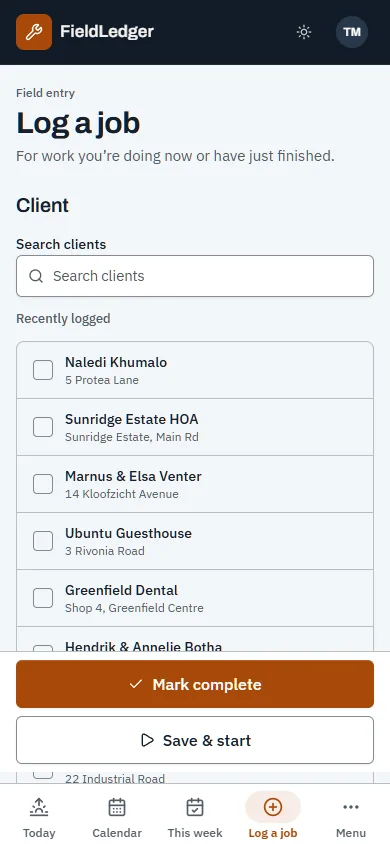
These are the real screens, with a demo plumbing business loaded in.
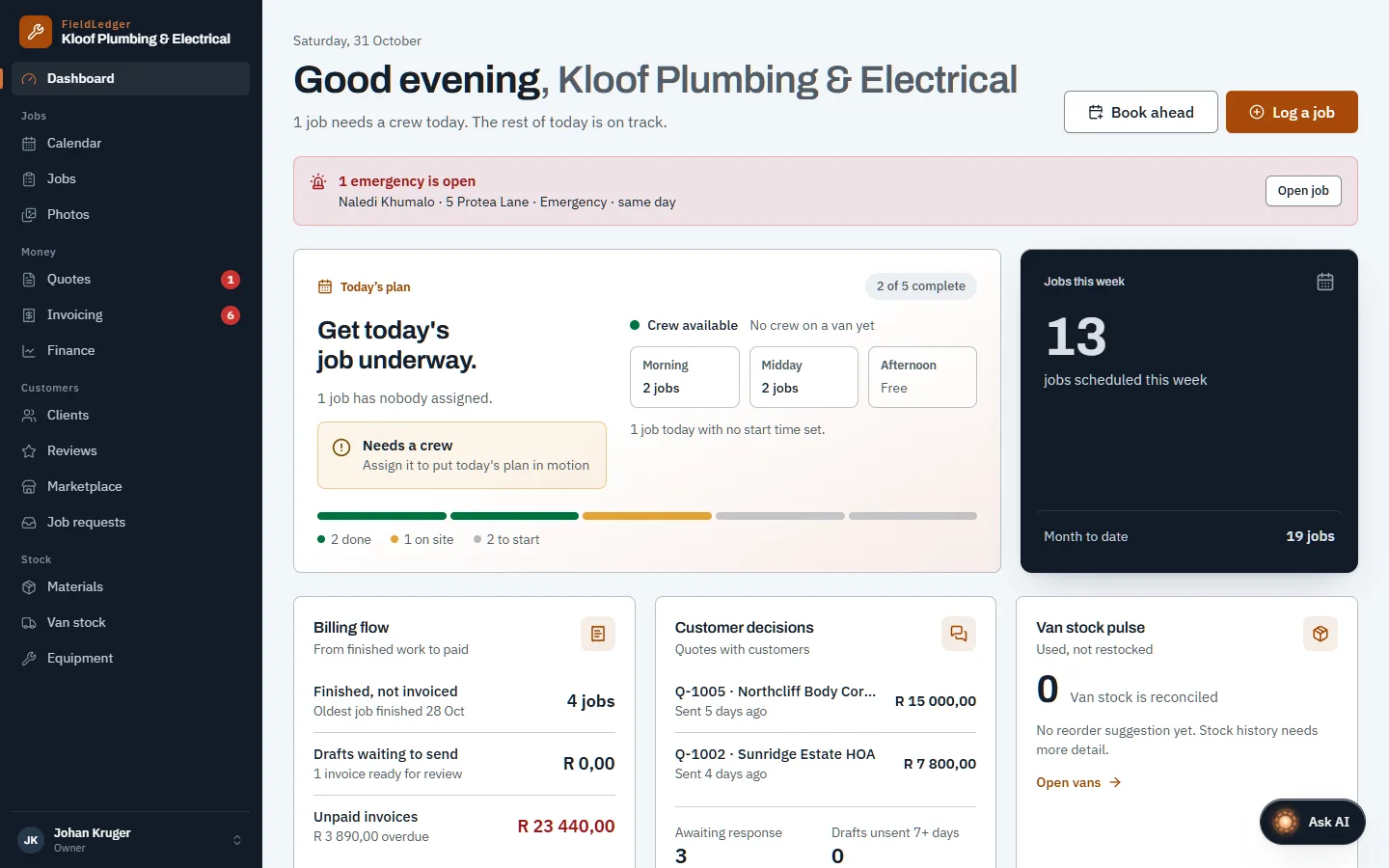
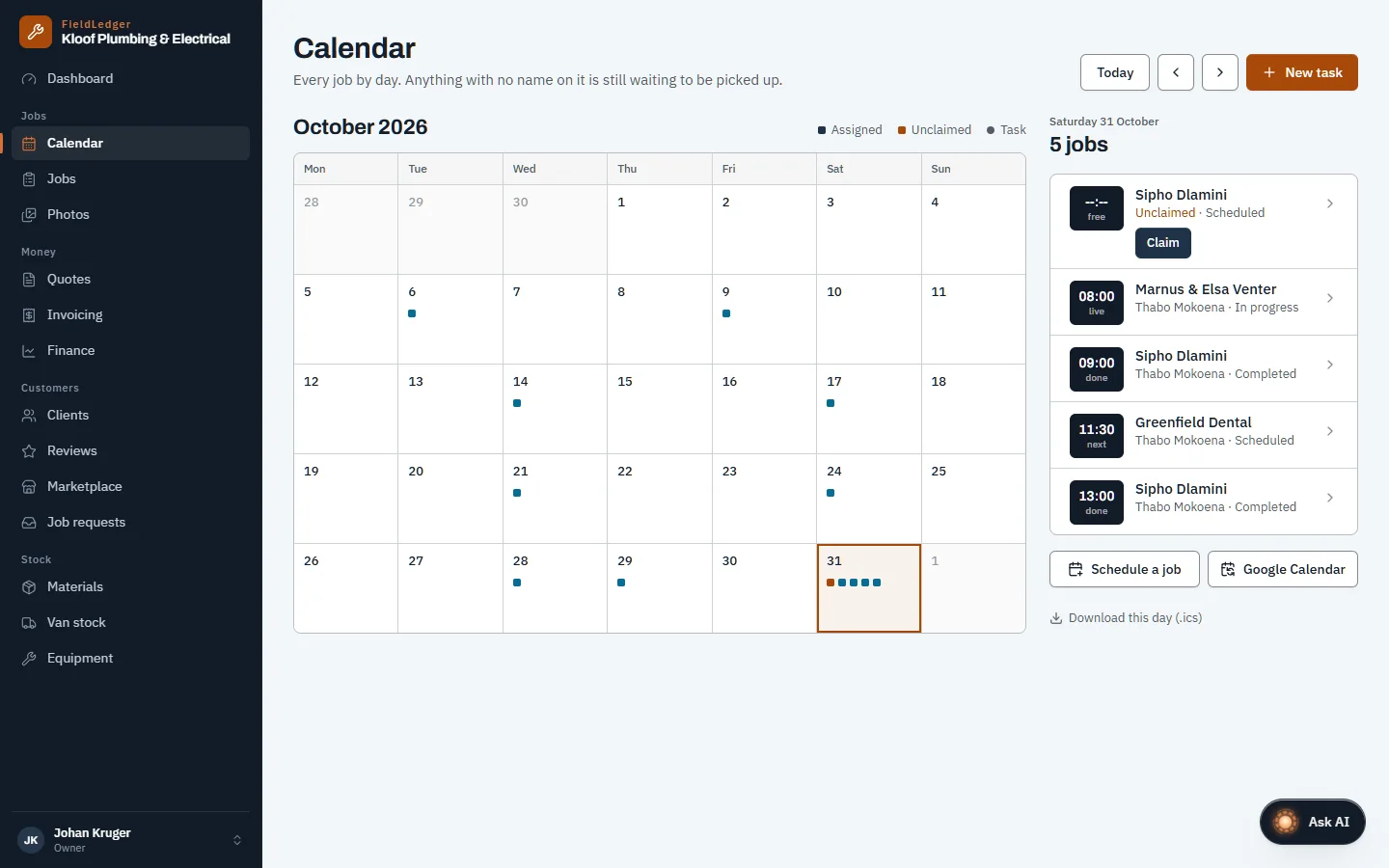
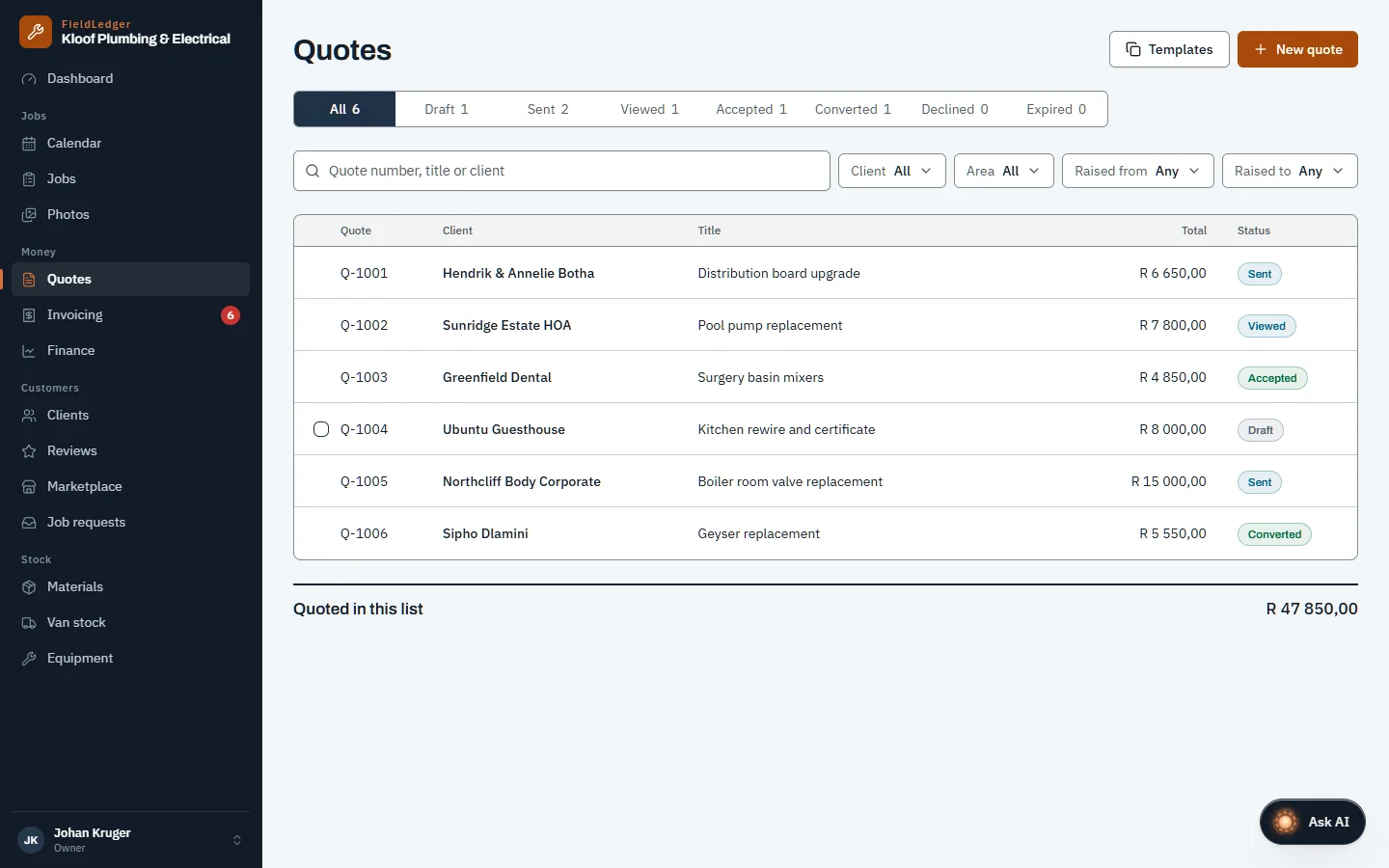
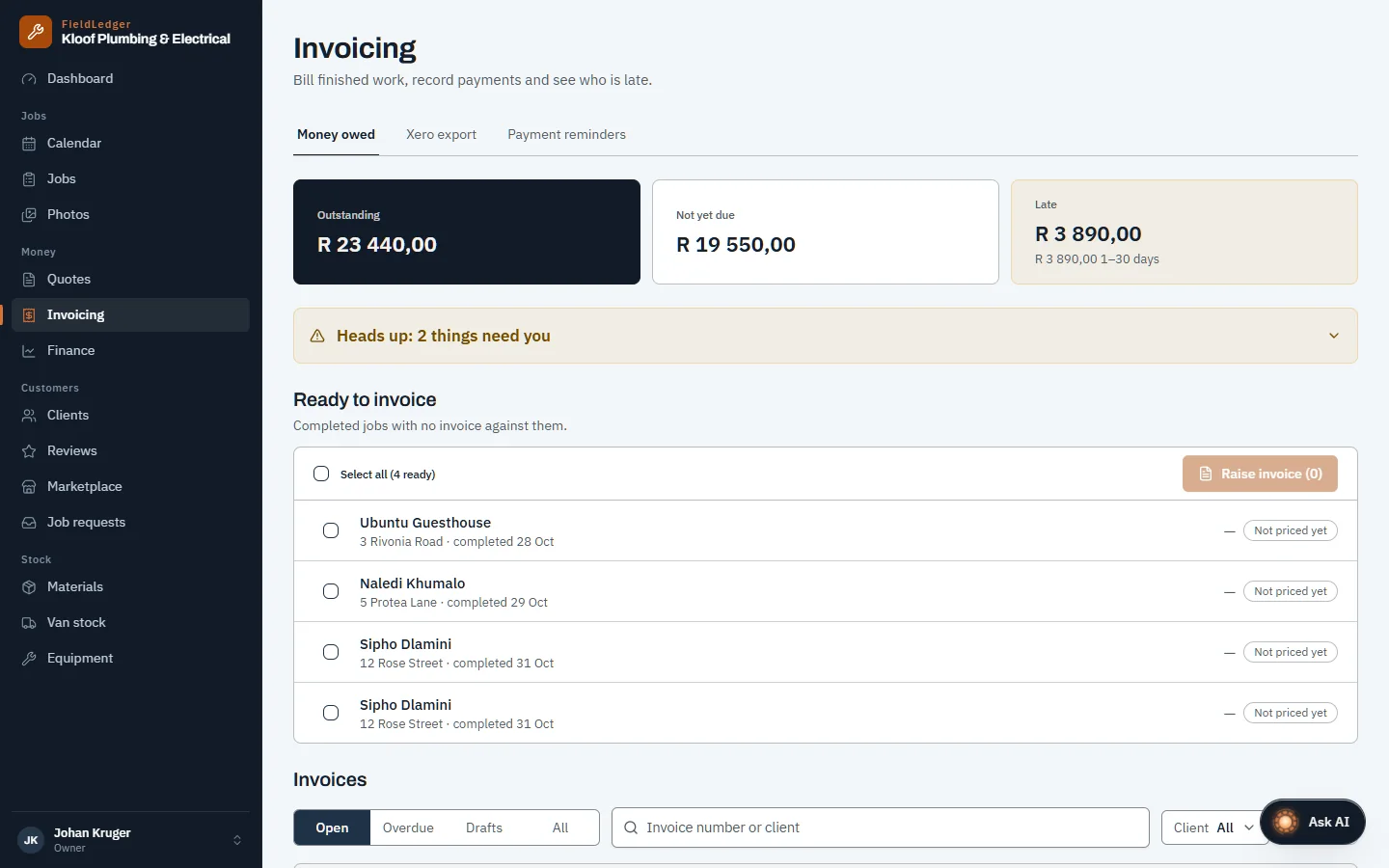
Open it and see what needs you today: the crew, the open emergency, the money waiting.
In the field
Built for a phone in one hand
- Today's run sheet, with the gate code and the dog warning right under the address.
- Swipe a job to start it or mark it complete. No menus to hunt through.
- Log a job in two minutes, with photos, hours and materials, even without signal.
How it works
From quote to paid, in one place
- 1
Quote it
Build a quote from your templates and materials, then send the client a link. They accept it online and the quote becomes the job.
- 2
Do the job
Your team logs hours, materials and before and after photos on their phone, with the site's access notes in front of them.
- 3
Get paid
Turn the work into an invoice, add a card payment link and let reminders follow up overdue invoices.
What you get
Built for the trade
Jobs logged at the site
A phone-first form: client, site, hours, materials, work done. Save a draft mid-job and finish it later.
Client memory that travels
Gate codes, dogs, key locations and past visits show the moment a tech opens the job.
Photo evidence
Before, after and certificate photos on every job. Taken without signal? They wait on the phone and upload later.
Quotes clients accept online
Reusable quote templates, a link the client can open on any phone, and a printable copy when they want paper.
Invoices and card payments
Card payment links, reminders for overdue invoices, and a Xero-ready CSV export for your bookkeeper.
Materials priced properly
An owner-managed catalogue with cost and sell price, so every job shows what it actually used.
Calendar and dispatch
Book work ahead for a named tech or leave it open for the team to accept. Connects to Google Calendar.
Van stock
Keep track of what is on each van and restock it before the next job runs short.
Reviews and WhatsApp
Ask happy clients for a Google review, and send “I'm on the way” messages from your business WhatsApp.
Who sees what
- Owners
- The whole business: every job, client, quote, invoice, price and team member.
- Employees
- The jobs they're on, open jobs waiting to be accepted, and the site notes they need to get in. Quotes and invoices stay owner-only, enforced in the database, not just the screen.
Getting started
Up and running in three steps
- 1
Create the owner account
Your business name, your name, email and phone number. Takes a couple of minutes.
- 2
We check your business
Every new business is reviewed before it goes live. You'll see the status when you sign in.
- 3
Bring your team
Share your join code. Your techs sign up on their own phones and you choose what they work on.
Questions
Before you sign up
Does it work without signal?
Job forms keep a draft on the phone, so a dropped connection doesn't lose the work. Photos taken offline wait in a queue and upload when signal comes back.
What can my employees see?
The jobs they're on, open jobs waiting to be accepted, and the site notes they need to get in. Quotes and invoices stay owner-only, enforced in the database, not just the screen.
Which trades is it for?
Plumbing, electrical, borehole, tiling, painting and garden. Menus follow the trades you do: the equipment register for geysers, pumps and DB boards only shows for plumbing, electrical and borehole businesses.
Can my clients pay by card?
Yes. Add a card payment link to an invoice and the client pays online from their phone.
Do I need Xero?
No. Invoicing works on its own. If your bookkeeper uses Xero, export a Xero-ready CSV whenever you need it.
Put the paperwork in one place.
Set up the owner account now. We review new businesses before they go live, then you can invite your team.